Production KPIs from live data, safety-days counters, shift schedules, line-status alerts and break-room communication on the screens already on the floor. The first 3 screens are free forever; a multi-plant company pays from $3 per screen per month, with an on-premise server for OT networks that cannot use the cloud.
First published September 6, 2026 · Last updated September 6, 2026
Units per hour, downtime, scrap and OEE drawn from any XML/JSON feed or exported report and rendered with the charting component, refreshing on their own where the line can see them.
Days-since-last-incident counters, PPE reminders, hazard notices and toolbox-talk topics, scheduled per area and shift.
Shift rosters, overtime calls and line assignments from a calendar or spreadsheet feed, updated once for every screen on the floor.
Push an override from any browser or phone in seconds: line down, quality hold, evacuation, severe weather, or an all-hands message.
Work-instruction videos, quality alerts with photos of defects to watch for, and certification reminders at the cell where they apply.
Company news, benefits deadlines, recognition, weather and news feeds, and site KPIs in plain language for every shift.
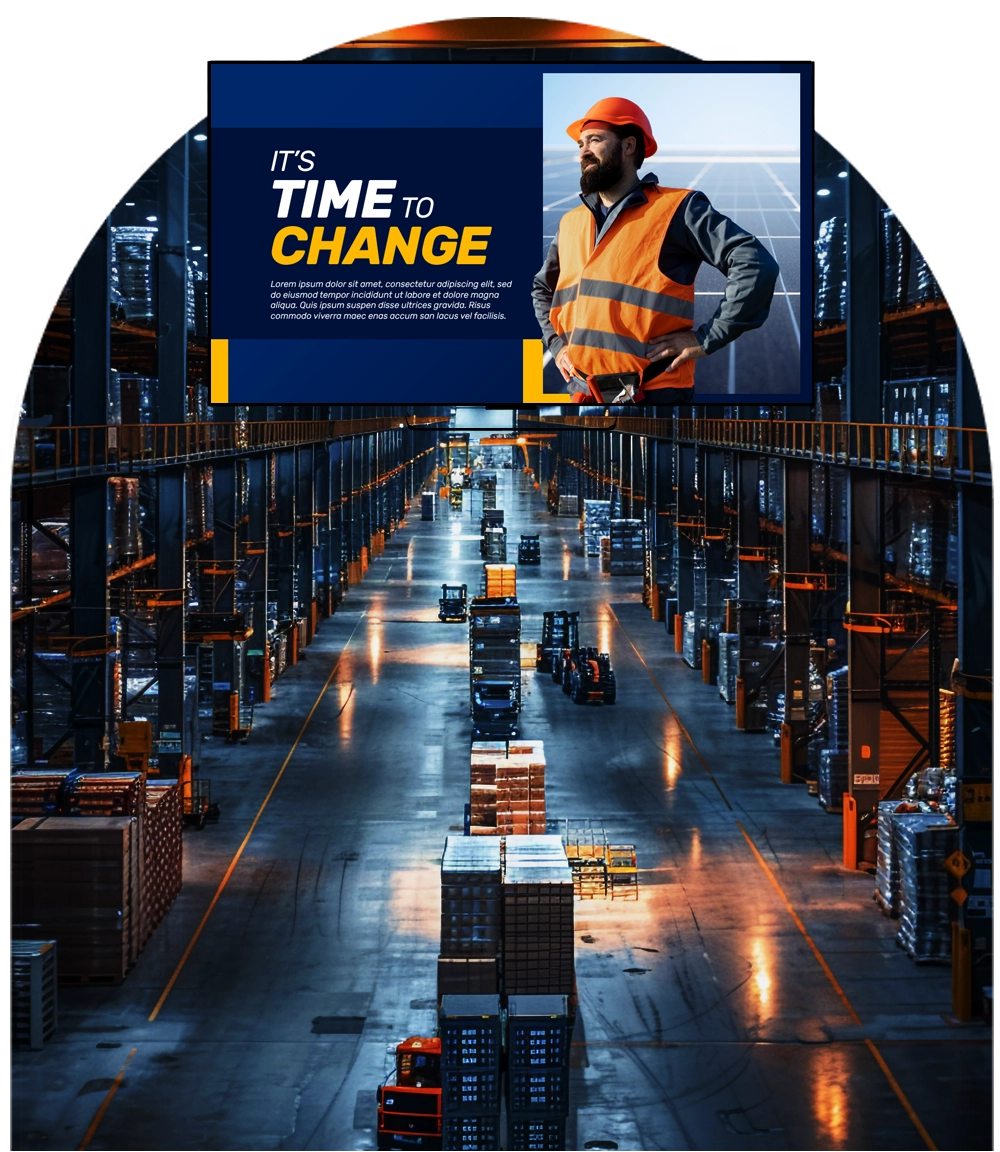
Cloud or on-premise. mediaCLOUD needs no infrastructure; mediaSERVER is a one-time $895 purchase that runs the whole platform inside the plant network, with no cloud dependency, for OT environments that cannot use hosted services.
Sensor and IoT triggers. Raspberry Pi GPIO and IoT components let sensors, buttons and PLC-adjacent signals change what a screen shows, from a machine-state indicator to a call-for-material prompt.
It runs on hardware you already own. SignPlayer runs on Android sticks and Android TV, Chrome OS devices, Windows and Mac PCs, Raspberry Pi and iPads, and inside any browser, so a screen costs an existing TV plus a $30–$60 player. Watchdog restarts the player automatically for unattended 24/7 operation, and content keeps playing through internet outages from the local cache.
Every location gets its own keys. Sub-accounts and permissions let each site, department or franchisee manage only its own screens while head office keeps the master layouts, an instant emergency override and a dashboard of every player's status.
Content updates itself. Weather, news, RSS and social feeds, calendars, countdowns, QR codes, the charting component and any XML/JSON data feed refresh automatically; 180+ templates cover menus, promos, directories and lobby loops.
The price fits the budget. First 3 screens free forever; from $3/screen/month after that with volume pricing in the public calculator, versus $8–$16 on Yodeck, $10–$30 on OptiSigns or $20 on ScreenCloud. Enterprise adds proof of play, white-label branding and touch kiosks.
| Deployment | Screens | DigitalSignage.com | Yodeck Basic ($8) | OptiSigns Standard ($10) | ScreenCloud ($20) |
|---|---|---|---|---|---|
| One production line: floor + supervisor office + break room | 3 | $0 (free tier) | $288 | $0 (3 free, branded) | $720 |
| Single plant | 12 | $432 | $1,152 | $1,440 | $2,880 |
| Plant with warehouse and offices | 40 | $1,440 | $3,840 | $4,800 | $9,600 |
| Multi-plant manufacturer | 200 | $7,200 | $19,200 | $24,000 | $48,000 |
DigitalSignage.com column is $0 up to 3 screens on the free plan; above 3 screens every screen is billed at the $3 Plus+ starting rate; dynamic volume pricing may quote lower, and Enterprise is priced in the public calculator. Competitor columns use each vendor's published entry-tier rate as of August 2026, apply their free tiers where the screen count qualifies, and exclude hardware. Full dataset: State of Digital Signage Pricing.
| Location | Display | Rule of thumb |
|---|---|---|
| Production floor | Commercial or high-brightness displays in a dust-rated enclosure where needed; large type readable from the aisle | Mount above equipment sight lines; keep KPIs to 4–6 numbers per screen |
| Break room and offices | Any consumer TV | Standard consumer TV plus a $30–$60 player |
| Warehouse dock | High-brightness, wide-temperature commercial display | Dock schedules and safety notices, one message at a time |
1. Create a free account (no credit card, no purchase order for the pilot).
2. Put an Android stick, Chromebox or spare PC behind a break-room TV and install SignPlayer and Watchdog.
3. Start from a template: safety counter, shift schedule, weather and a KPI chart from an existing export.
4. Give the line supervisor a sub-account for line-status posts. The pilot stays free forever; extend to the floor at $3/screen, or to mediaSERVER if the OT policy requires on-premise.
What digital signage should a manufacturing plant use?
For most plants: cloud-managed digital signage such as DigitalSignage.com on commercial displays on the floor and ordinary TVs in break rooms, with a $30–$60 player behind each screen, data-feed and charting components for production KPIs, an instant override for line-status alerts and area sub-accounts. The first 3 screens are free forever, additional screens cost $3 per screen per month, and a one-time $895 on-premise server is available for OT networks that cannot use the cloud.
Can the screens show live production data?
Yes. The charting and data components read any XML or JSON feed or exported report and refresh automatically, so units, downtime, OEE and quality figures stay current without a person updating slides.
Can sensors or machine signals change the content?
Yes. IoT and Raspberry Pi GPIO components let motion, proximity, buttons and other signals trigger scenes, such as a call-for-material prompt or a machine-state indicator.
Does it work on a plant network with no internet access?
Yes. mediaSERVER runs the entire platform on your own infrastructure for a one-time $895 with no cloud dependency; cloud players also keep playing from the local cache if the connection drops.
How much does manufacturing digital signage cost?
Software on DigitalSignage.com: $0 for up to 3 screens, then $3 per screen per month, so a 40-screen site is about $1,440 a year versus $3,840-$9,600 on Yodeck, OptiSigns or ScreenCloud. Hardware is an existing TV plus a $30–$60 player in offices, or commercial displays on the floor.
Yodeck, OptiSigns and ScreenCloud are trademarks of their respective owners; pricing cited from published price pages as of August 2026. Display brightness figures are general industry rules of thumb. Related: corporate communications · logistics and transportation · IoT digital signage · dashboards · mediaSERVER on-premise.
Checkout live examples of Digital Signage presentations. The SignPlayer can run everywhere, on Android, Windows, Mac, iPad and even inside your web browser
View MoreFind out why people call us “the world’s most popular digital signage platform”
View More Help
Help
 Downloads
 Tutorials
 Login
Login Contact Us
 Cart
Cart